
New in Online Scheduling: Appointment Booking Through Google Search and Maps
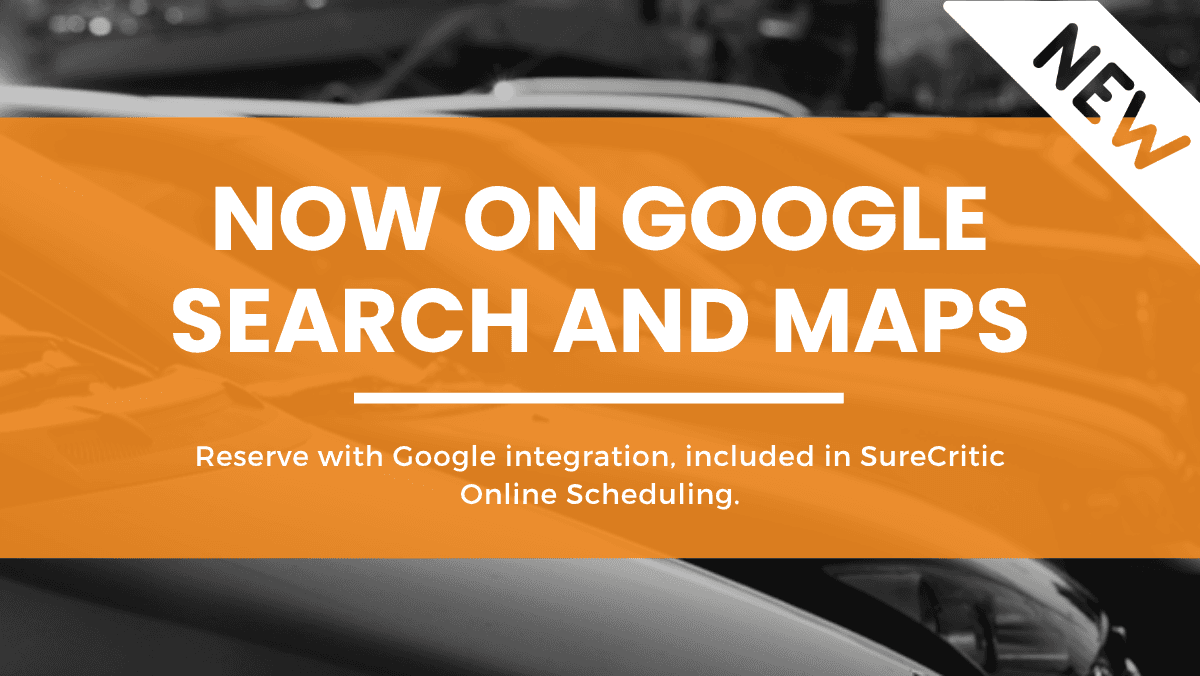
Starting today, SureCritic Online Scheduling integrates with Reserve with Google so that millions of Google users can better discover your business on Google Search and Maps, and then easily be redirected to your SureCritic scheduling site to make an appointment with you.
Here is what it does, how to turn it on, and what it costs. The short version of the last one: nothing extra.
A booking button where the search already happens.
A new channel for customers. Tap into the millions of potential customers searching for businesses or services you offer through Google Search & Maps by giving them a way to book with you directly.
Customers book in SureCritic Online Scheduling. Google redirects users to your SureCritic scheduling site, which means you can continue to take advantage of the features you love from us, your shop's branding and colors, your service catalog, service-specific intake questions, real-time availability, and SMS reminders.
Your services and pricing, upfront. Encourage potential customers to choose your business by highlighting helpful information upfront, such as services you offer and associated pricing.
What your customers see on Google.
Your business may show up for relevant searches for services you offer, for example when a customer searches for "brake repair" or "oil change" in your area.
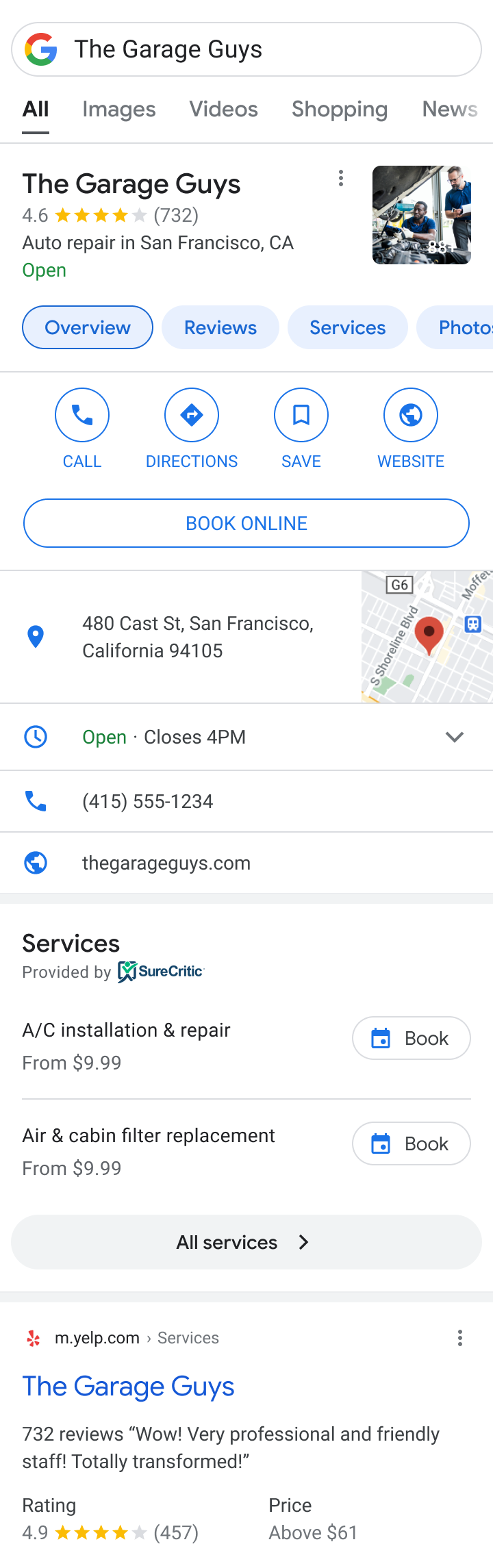
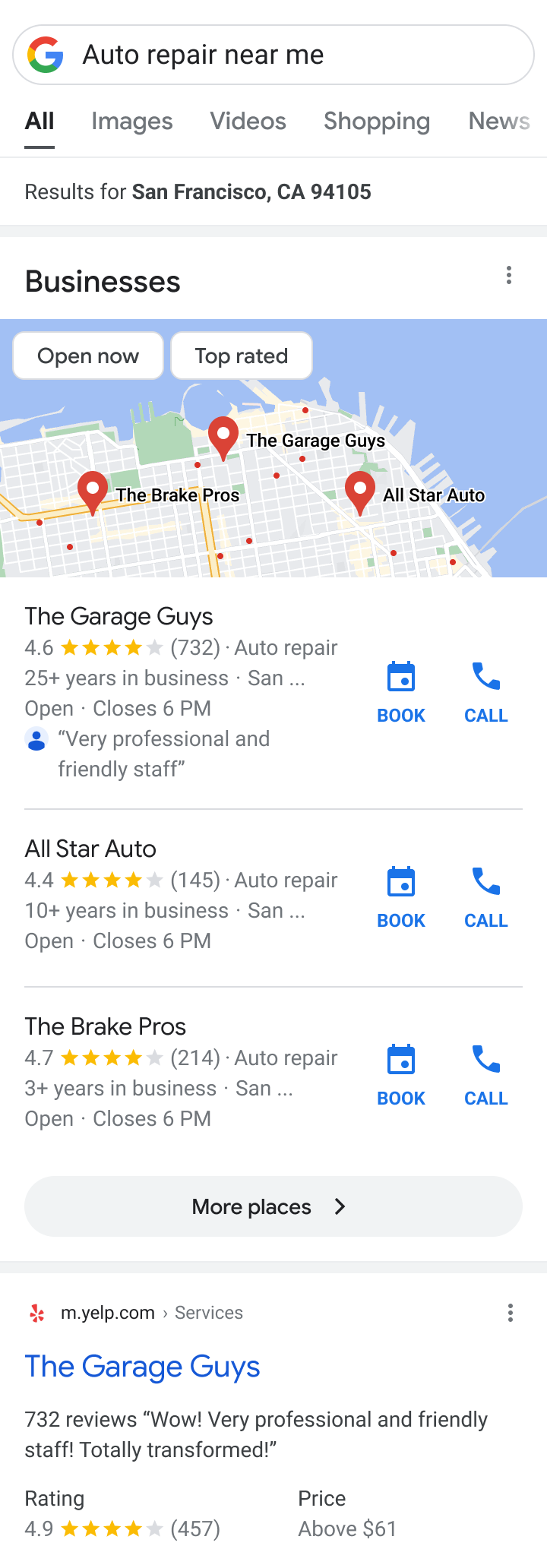
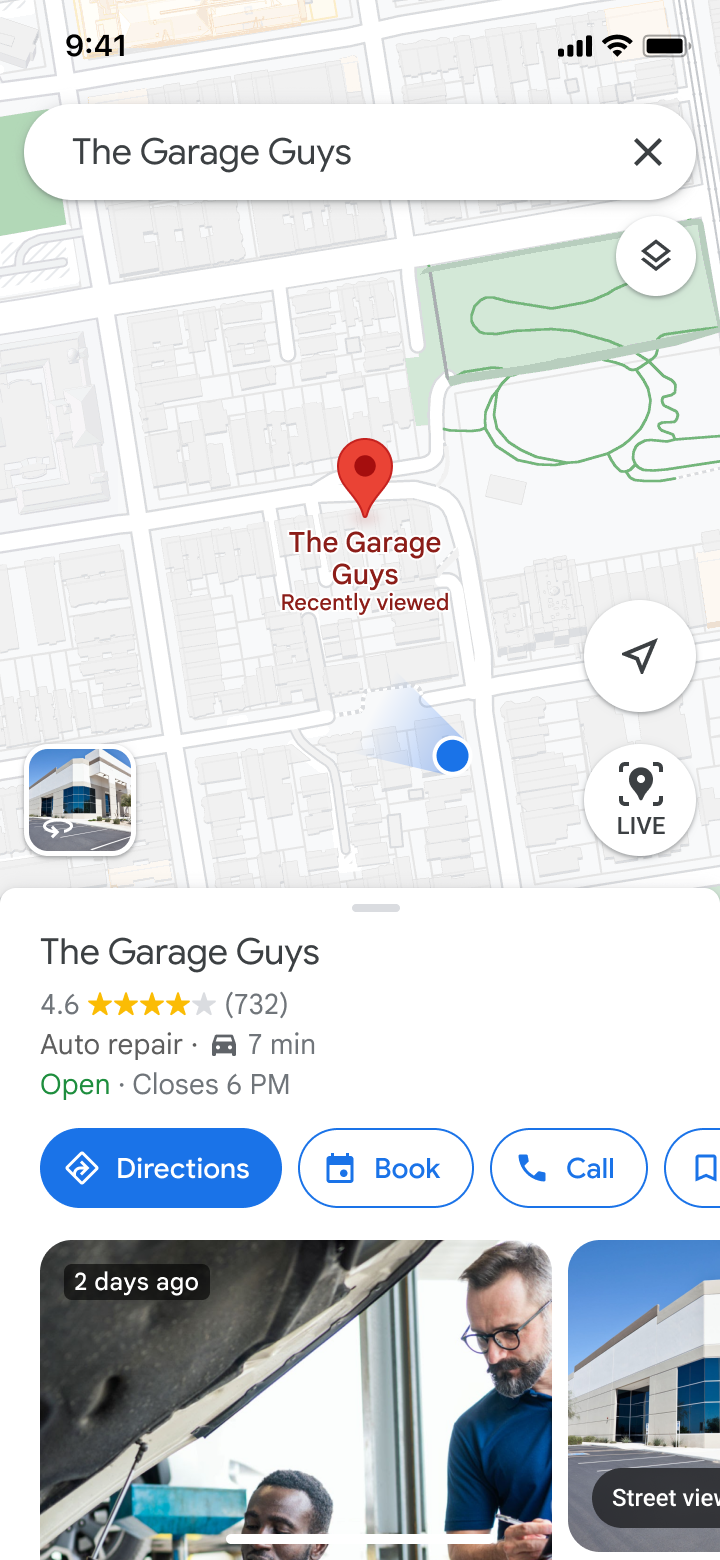
These mocks do not capture the full range of how a business and its booking entrypoint may appear across all Google Search and Maps presentations.
Start booking appointments today.
Setup is easy and done through SureCritic.
- Connect. We match your SureCritic account to your Google Business Profile.
- Go live. A "Book" button is added to your Business Profile, in addition to other places where your business may appear on Google Search & Maps.
- Take bookings. Customers are redirected to SureCritic Online Scheduling, and the appointment lands in your management system.
What you need: A Google Business Profile with a name and address that match your SureCritic account. Don't have one? You can set one up at no cost.
What fees are associated?
Google does not currently charge a fee for this integration. SureCritic does not charge an additional fee for it either. It is included in your existing SureCritic Online Scheduling subscription. There is no commission, no per-booking fee, and no lead fee for appointments that originate from Google Search and Maps. Any amount you are billed is billed by SureCritic for your SureCritic subscription and does not come from Google.
The booking is the start, not the end.
- The appointment lands in your management system, Mitchell1, NAPA TRACS, or TireGuru, with the service, the vehicle, and the customer's answers already attached.
- Your techs get the symptom story before the vehicle arrives, so the job is scoped before the keys hit the counter.
- The customer gets an SMS confirmation and a day-before reminder, and can reschedule by text without calling you.
- When the ticket closes, the verified review request fires automatically, so the customer who booked at 11pm becomes the review the next customer reads.
How can I opt out of Reserve with Google?
We have integrated with Reserve with Google to help customers find and take action with your business on Google Search and Maps. If you want to opt out of the integration, you can disable it from your SureCritic dashboard, or contact SureCritic Support and we will disable it for you.
Turn on booking through Google Search and Maps.
Already a SureCritic Online Scheduling customer? Enable the integration from your dashboard in a couple of minutes. New to SureCritic? Book a 20-minute walkthrough.
The full details, including every question we have been asked so far, are on the booking through Google Search and Maps page.
Related reading: The Service Bay Never Closes, our report on how much booking demand arrives after hours, and what to look for in an online scheduling tool for auto repair shops.
See SureCritic on your own shop's data
Verified reviews, ReScore®, and AI-search visibility, built for auto repair shops and dealerships.
Request a demo