ChatGPT Is Already Talking About Your Shop. Now You Can Claim the Profile.
On November 10, OpenAI opened a beta called Businesses in ChatGPT. It gives any business a free profile it can claim, manage in a dashboard called Business Hub, and use to see how often ChatGPT brings it up in conversations. Read OpenAI's announcement.
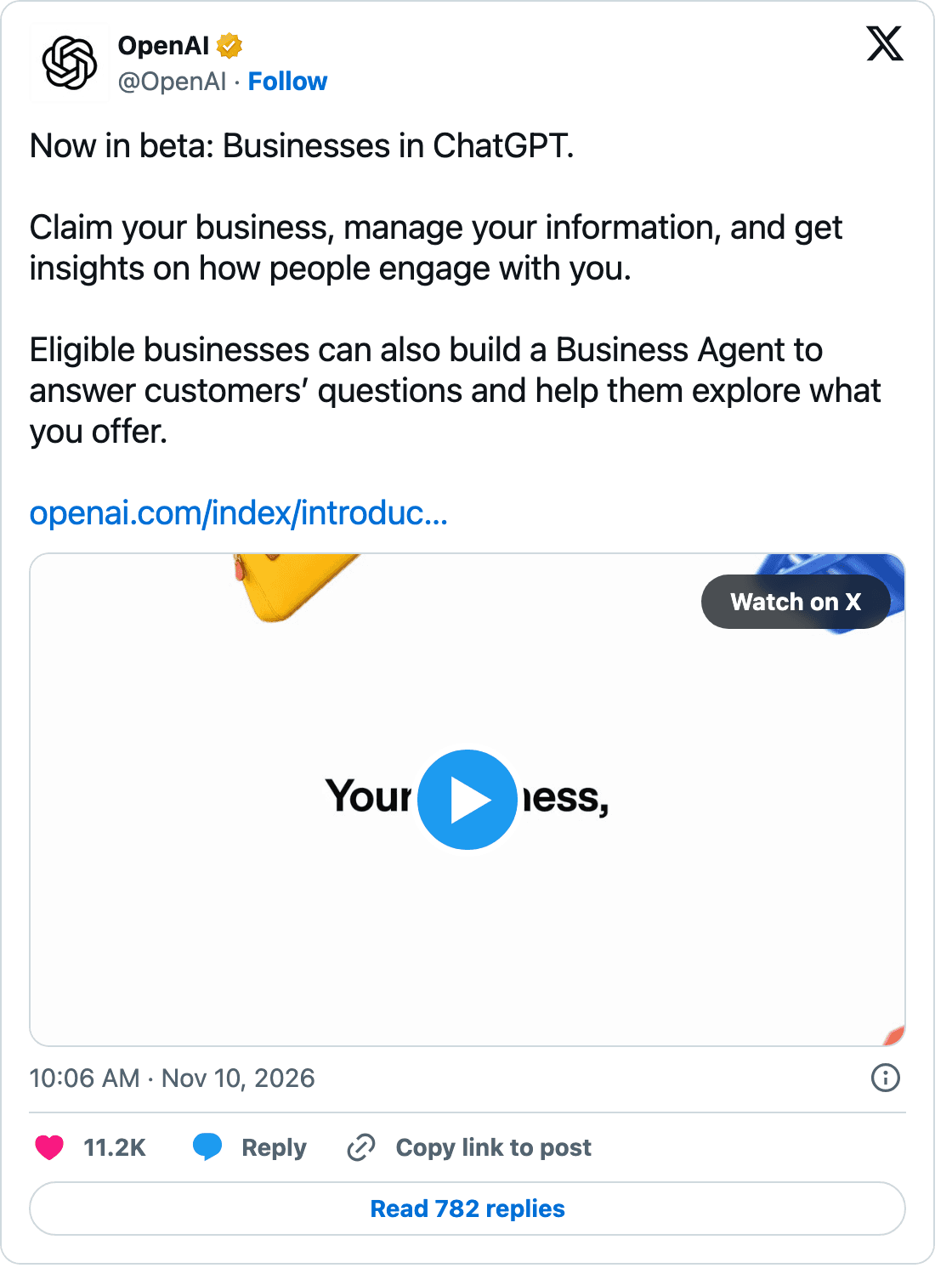
If you run a shop, here is the part worth sitting with: you don't have to sign up for ChatGPT to talk about you. It already does. One local business we looked at had never touched its listing and still showed up in 26 ChatGPT conversations in a single month.
Below is what the new profile does, what service businesses can't use yet, and the short list of things worth doing this week. One note before we start: this is a day-one beta, and the details below reflect how it worked at launch.
First, a naming trap
OpenAI already sells a paid plan called ChatGPT Business, a team workspace for companies that use ChatGPT internally. That is a different product. What launched on November 10 is Businesses in ChatGPT, managed in Business Hub, and it is free. It controls how your business appears to other people using ChatGPT. The Hub does promote the paid plan, so it's easy to mix the two up.
How claiming works
- Find and claim your listing. Search for your business in Business Hub and claim it.
- Verify you own it. Depending on the business, that's by phone, a business email address, a DNS record on your website, or a Shopify connection.
- Verify your identity. A second, stricter step checks a government-issued ID through a provider called Persona. At launch this step unlocked editing: until it's done, you can't change your business info.
- Edit your profile. Website, description, category, logo, cover photo, contact details, and policies. There is also a free-text field for what ChatGPT may share about you.
Verified profiles get a blue check, and OpenAI reviews each edit before it goes live. If someone else has already claimed your business, there is a dispute process.
What the dashboard shows you
The most useful part for a local business is Brand insights. Here is what that same business saw on day one:
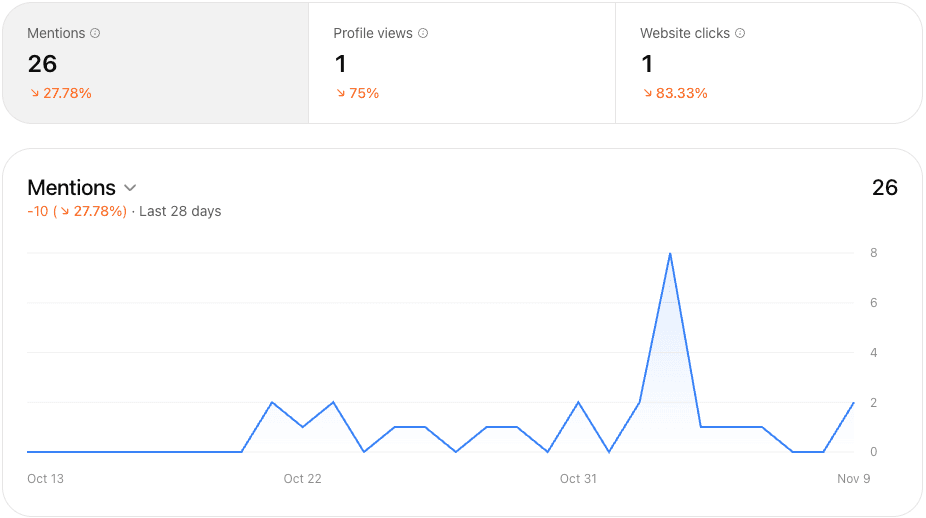
- Mentions: how many conversations your business came up in over the last 28 days, with a daily chart.
- Profile views and website clicks: how many people opened your profile, and how many went on to your site.
- Top discovery topics: the themes of the conversations you appear in. This stays empty until you pass a reporting threshold, so small businesses may not see it right away.
- Website access: whether OpenAI can read your website, and when it last did. Check this one first. If ChatGPT can't read your site, it is working from whatever else it can find about you.
Everything is aggregated. You never see the actual questions people asked or what ChatGPT said back.
Notice the gap in that screenshot. Twenty-six conversations mentioned the business, but only one person opened the profile and one clicked through to the website. Being mentioned and being chosen are not the same thing.
What service businesses can't use yet
Two of the headline features are built for online stores, not shops.
- Business Agent. A chat assistant, labeled as your business, that customers can open from your profile to ask about your products and policies. At launch it was limited to US ecommerce and online service businesses. It also can't take payments, make bookings, or look up orders; it sends customers to your website for those.
- Products. A catalog of what you sell, synced automatically from Shopify or uploaded as a file with prices and availability. Adding products makes them eligible to appear in answers, not guaranteed to.
For an auto shop, a collision center, or a dealership service department, that leaves the profile and the insights. Service businesses are clearly next in line, but at launch they were waiting.
The catch: claiming doesn't change the answer
OpenAI says it plainly: ChatGPT keeps making its own recommendations. Your profile is one input among many. ChatGPT still draws on everything else it can find about you, including your website, your listings, and what customers say in reviews, and it doesn't verify every claim a business makes about itself.
So claiming your profile is the floor, not the strategy. It makes sure the basics ChatGPT repeats about you are right. Whether it recommends you depends on the rest of the picture.
That is the same lesson shops learned with Google Business Profile, except this time the measurement is thinner. There is no competitor comparison, no list of questions, and no view of what the answers actually say about you.
What ChatGPT visitors look like on our own site
We checked our own Google Analytics for the last 90 days. ChatGPT is a small source for us, about 30 visits, but those visitors behave differently from everyone else:
- Nearly two in three were engaged, compared with about one in six visitors who came to the site directly.
- They stayed almost three times as long: 44 seconds on average against 16, and nearly two pages per visit.
- Two of them asked for a demo. That's about one in fifteen ChatGPT visits, a higher rate than any other source we track.
- They skip the home page. ChatGPT sent people straight to the page that answered their question: our demo request form, our online scheduling page, our page on booking through Google.
The numbers are small, so we wouldn't forecast from them. But the pattern makes sense. Someone who asked ChatGPT a specific question and then clicked through already knows what they're looking for.
What about ads?
Business Hub links to ChatGPT Ads, which can send people to your profile or your Business Agent. At launch, ads were shown only to people on ChatGPT's free and lower-cost plans, labeled as ads, and kept separate from the answers themselves. It's early, and early advertisers have raised questions about cost and tracking, so treat it as an experiment rather than a channel.
What to do this week
- Claim and verify your profile. Set aside time for the ID check; at launch, editing stayed locked until it was done.
- Check website access. If OpenAI can't read your site, find out why before anything else.
- Find your ChatGPT visitors. In Google Analytics, go to Reports, then Acquisition, then Traffic acquisition, and look for the AI Assistant channel or the source chatgpt.com. Those are people who clicked through from a ChatGPT answer.
- Make every page a place to book. ChatGPT visitors land on whatever page answered their question, not your home page. Put your booking link and phone number on every page, not just the contact page.
- Fill in the basics. Hours, services, location, phone, and policies, matching what's on your website and your other listings word for word.
- Look at what it reads about you elsewhere. Recent, verified customer reviews, consistent listings, and a website that spells out what you do are the parts of the picture you control. They are also what every AI assistant works from, not just ChatGPT.
- Check your mentions monthly. The numbers are small and noisy for most local businesses, but the trend will tell you whether ChatGPT is bringing you up more or less.
The businesses that claimed their Google profile early had a head start for years. This is a smaller, rougher version of that moment, and claiming costs nothing.
Related reading: why verified reviews matter more than ever, and how to get more Google reviews for your shop.
Details in this post reflect Businesses in ChatGPT as it worked at launch on November 10, 2026. It is a beta, and features, eligibility and verification steps may change.
Show up when customers ask AI
Verified, structured reviews that search engines and AI assistants can read, trust, and cite.